SAHARA ENGINEERING
  • Products
  • Knowledge Base
  • Register
  • Login

Search Knowledge Base Articles

Knowledge Base / Assets / How to Run Depreciation
Assets

How to Run Depreciation

1 min read 46 words

Overview

Depreciation

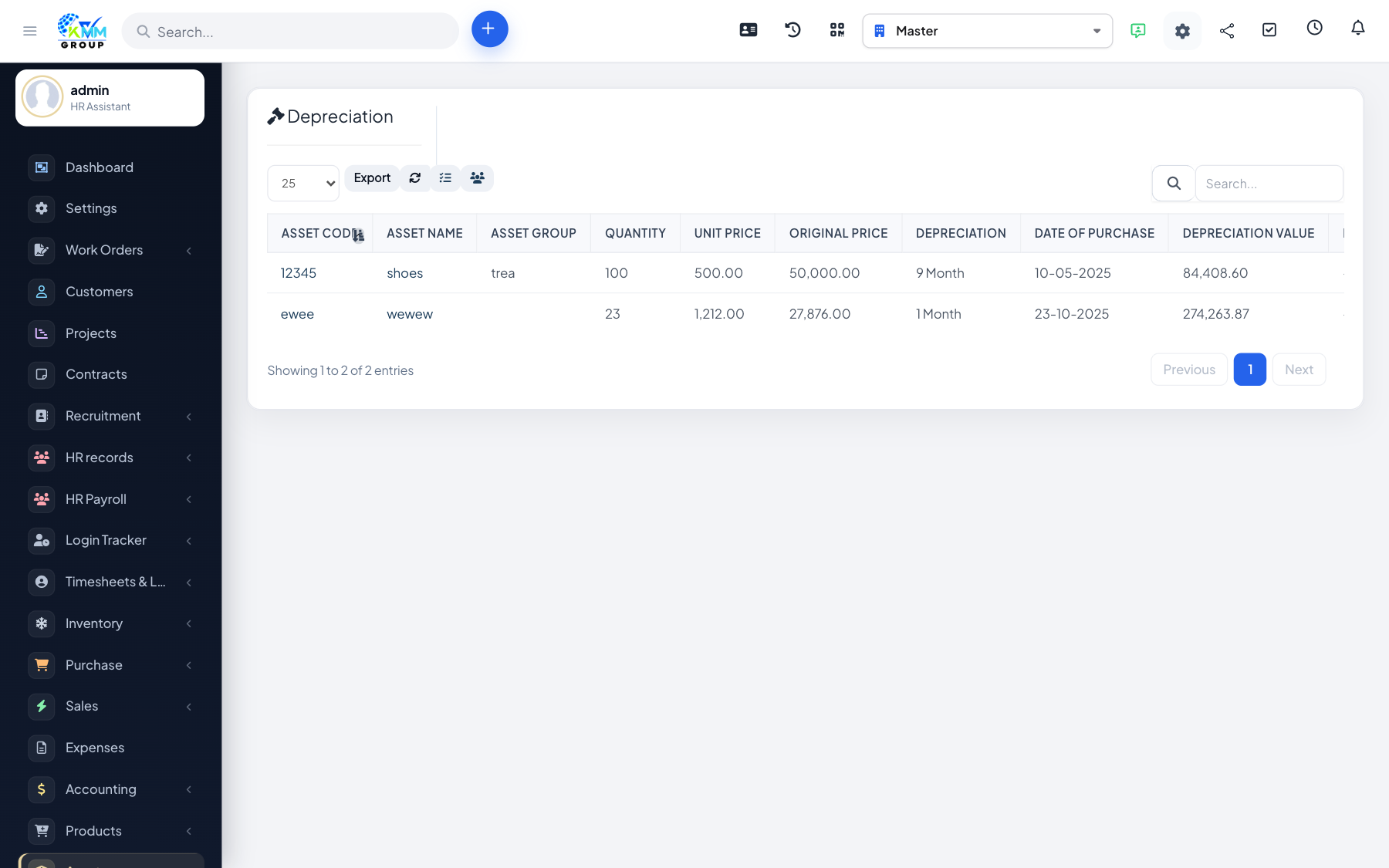
Depreciation reduces the book value of an asset over time according to your policy.

Steps

  1. Go to Assets > Depreciation (/admin/assets/depreciation).
  2. Select the period and assets to process.
  3. Review calculated amounts before confirming.
  4. Coordinate with Accounting if depreciation should post to the ledger.

Did you find this article useful?

Your feedback helps us improve these articles.

Related Articles

  • Getting Started with the Assets Module

    Overview The Assets module tracks fixed assets your company owns — equipment, vehicles registered as ass…

    Read article
  • How to Configure Asset Settings

    Overview Settings define groups, units and locations used on every asset record. Steps Go to Assets > Setti…

    Read article
  • How to Add and Manage Assets

    Overview The asset register is the master list of what you own, with cost, serial numbers and status. Steps Op…

    Read article
  • How to Allocate an Asset

    Overview Allocation records that an asset was issued to a staff member or location. Steps Go to Assets > Al…

    Read article
  • How to Return (Evict) an Asset

    Overview Eviction records return of an allocated asset back to the company pool. Steps Go to Assets > Evict…

    Read article
2026 Copyright SAHARA ENGINEERING