Overview
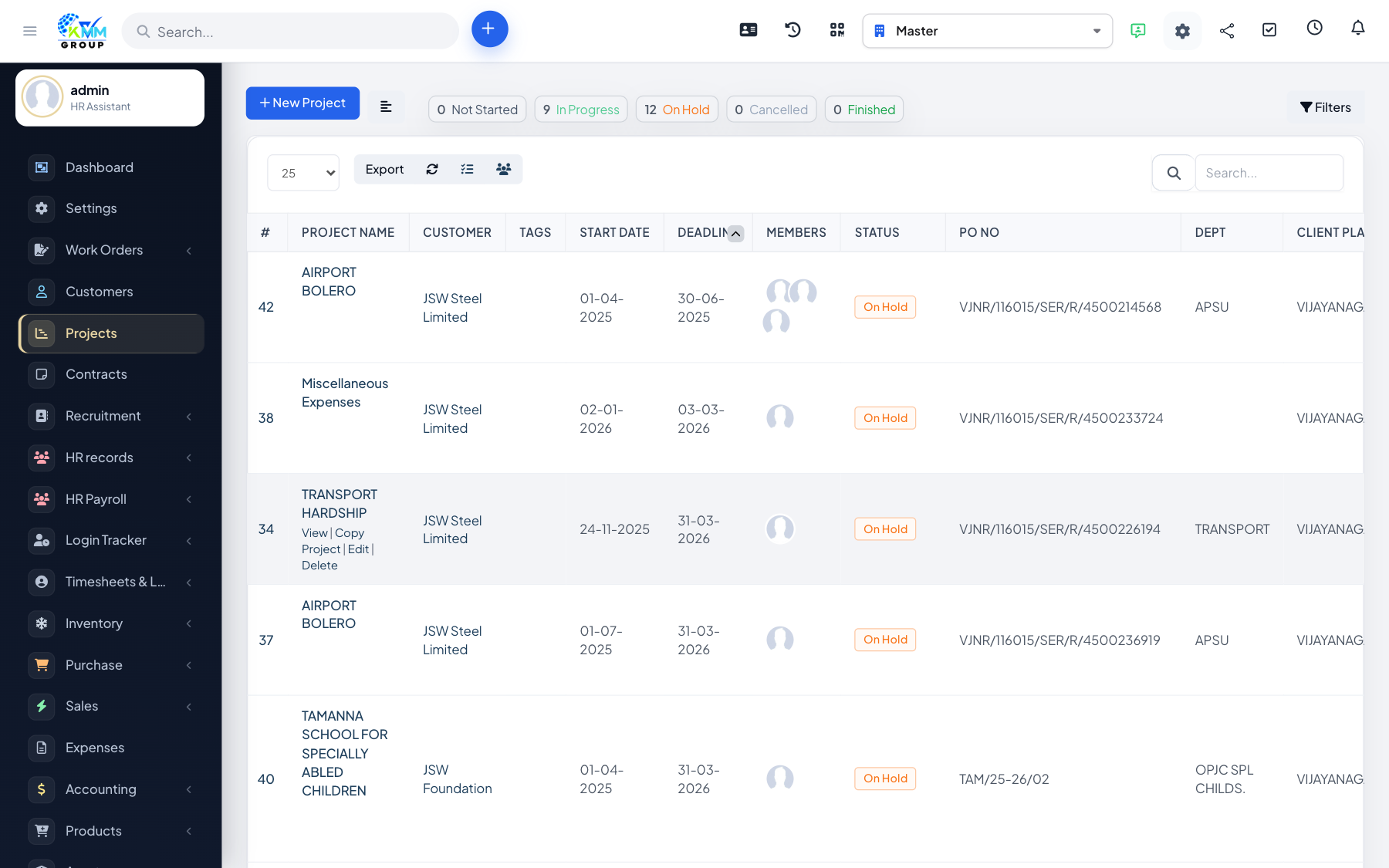
Project Management in the KMMV dashboard helps you plan and deliver work for your customers. You create a project, break it into tasks and milestones, track the time your team spends, collaborate through discussions and files, and bill the work through invoices, estimates and expenses — all in one connected place.
Where to find it
Open Projects in the left sidebar (/admin/projects). Open a project to see its tabs: Overview, Tasks, Timesheets, Milestones, Files, Discussions, Gantt, Tickets, Contracts, Sales, Notes and Activity.
Key terms
- Milestone — a stage of the project that groups related tasks.
- Task — a single unit of work that can be assigned and timed.
- Billing type — how the project is charged (fixed rate, project hours or task hours).
Recommended workflow
- Create a project and add its members.
- Plan milestones and add tasks under them.
- Track work with timesheets and monitor the Gantt chart.
- Collaborate through discussions and files.
- Bill the work via the Sales tab (invoices, estimates, expenses).
Good to know
- You choose which tabs a project shows and what the customer can see, so each project fits its situation.