SAHARA ENGINEERING
  • Products
  • Knowledge Base
  • Register
  • Login

Search Knowledge Base Articles

Knowledge Base / Expenses / How to Claim Against a Staff Release
Expenses

How to Claim Against a Staff Release

1 min read 49 words

Overview

In-house claims

Claims record actual spend against an open release.

Steps

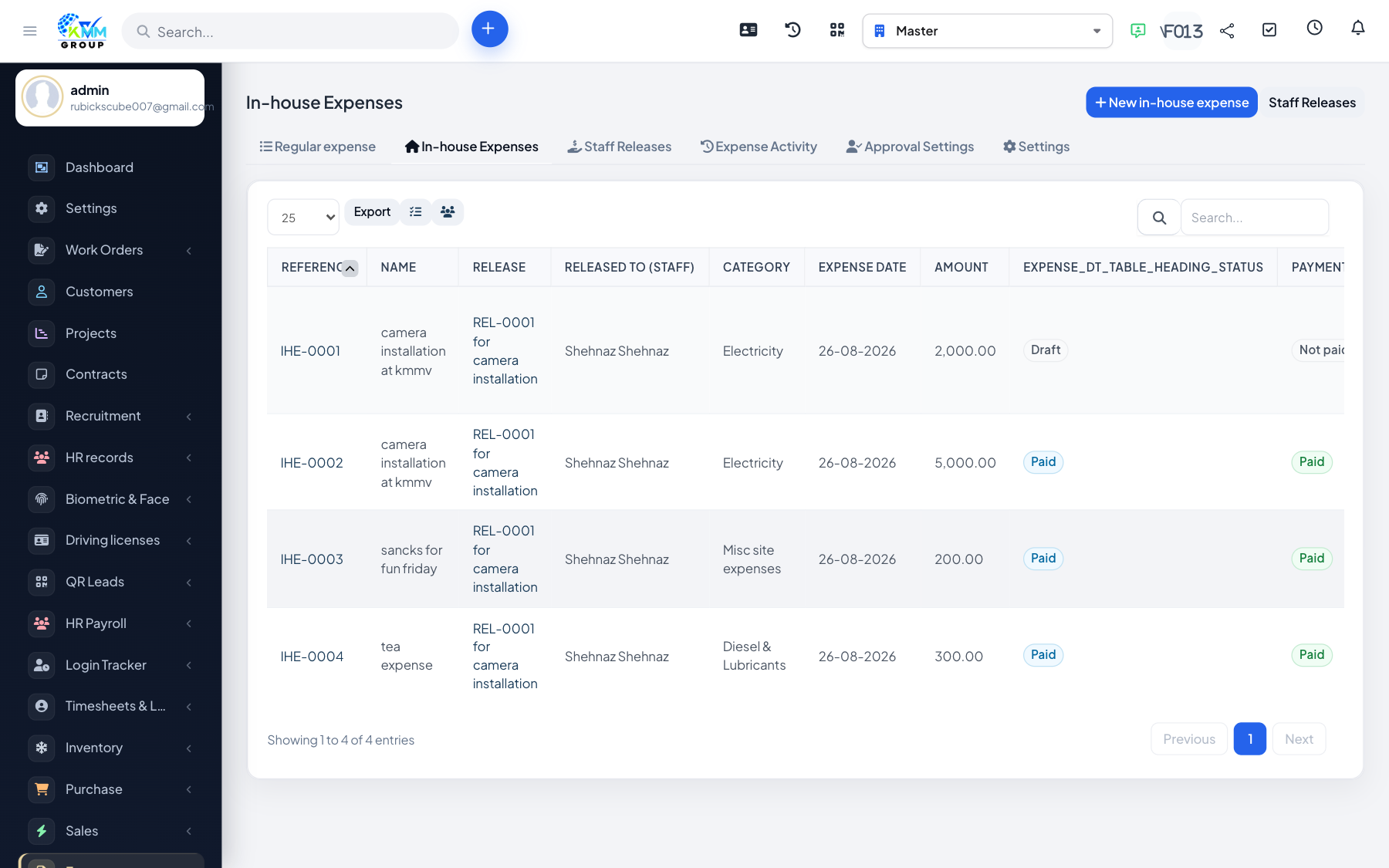
  1. Open /admin/kmmv_expense_budget/inhouse → New claim.
  2. Select the release, expense category, amount (must fit remaining balance), date, and notes.
  3. Attach receipts.
  4. Submit for approval. After approval the expense is created automatically.
  5. Approved/paid claims cannot be deleted.

Did you find this article useful?

Your feedback helps us improve these articles.

Related Articles

  • Getting Started with Expenses

    Overview KMMV has two expense flows that both end in the Expenses list (/admin/expenses): Normal expense — boo…

    Read article
  • How to Create a Normal Expense

    Overview A normal expense is the standard Perfex form. It posts through Accounting expense mapping when config…

    Read article
  • How to Create an In-house Staff Expense

    Overview In-house flow: Release → Claim → Approval → Expense. The expense row is still a vendor tblexpenses re…

    Read article
  • How to Release Money to Staff

    Overview A release is the advance envelope. Claims draw down from its remaining balance. Steps Go to /admin/km…

    Read article
  • How to Set Up In-house Approval

    Overview Approvals mirror Warehouse: Subject / Related / Staff / Action in ordered steps. Steps Open /admin/km…

    Read article
2026 Copyright SAHARA ENGINEERING