SAHARA ENGINEERING
  • Products
  • Knowledge Base
  • Register
  • Login

Search Knowledge Base Articles

Knowledge Base / Expenses / How to Release Money to Staff
Expenses

How to Release Money to Staff

1 min read 60 words

Overview

New staff release

A release is the advance envelope. Claims draw down from its remaining balance.

Steps

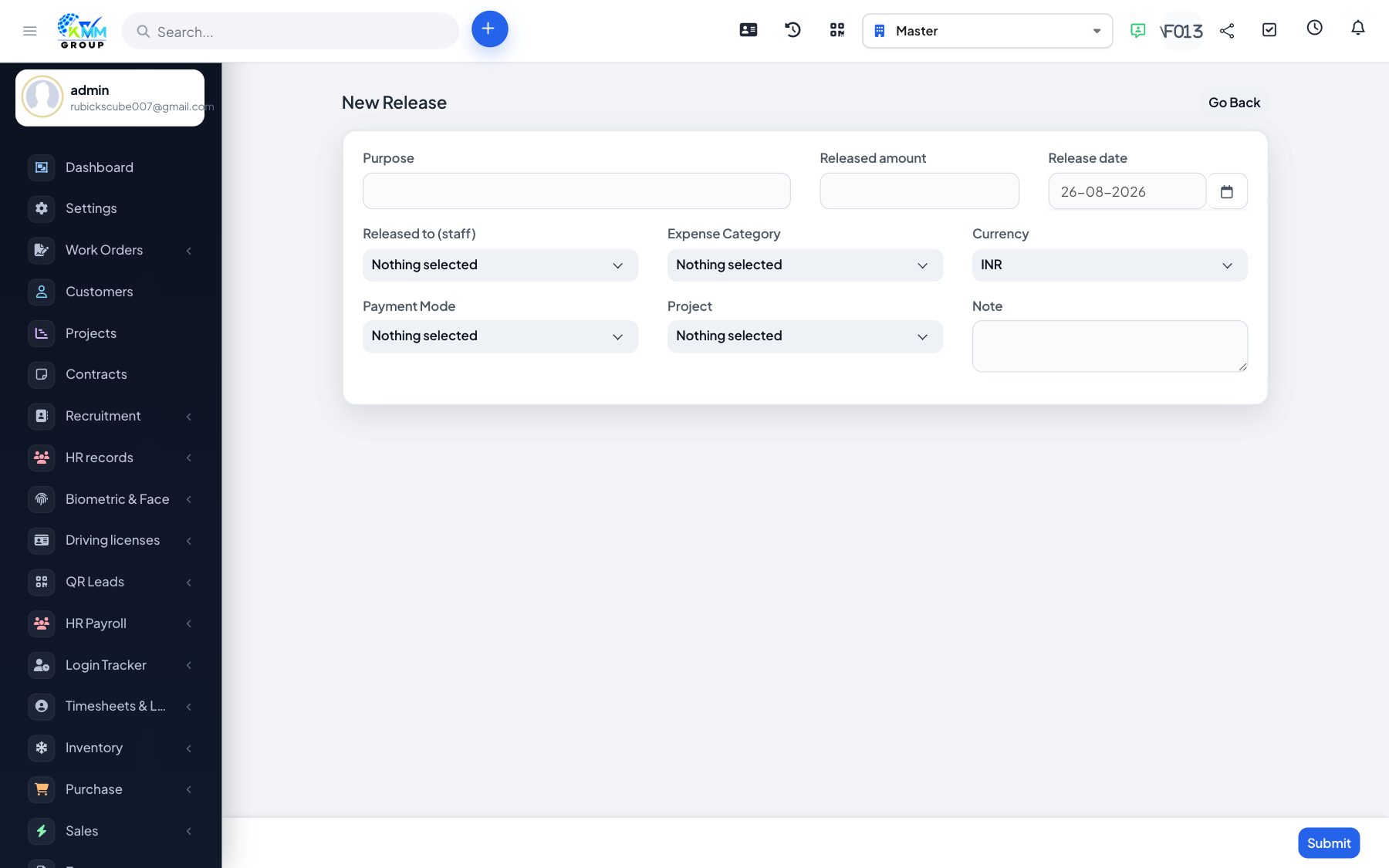
  1. Go to /admin/kmmv_expense_budget/releases → New.
  2. On /admin/kmmv_expense_budget/release pick staff, amount, purpose/date.
  3. Save. If Settings has advance/cash accounts and posting enabled, one ledger pair posts for the release.
  4. Do not delete a release that already has claims.

Did you find this article useful?

Your feedback helps us improve these articles.

Related Articles

  • Getting Started with Expenses

    Overview KMMV has two expense flows that both end in the Expenses list (/admin/expenses): Normal expense — boo…

    Read article
  • How to Create a Normal Expense

    Overview A normal expense is the standard Perfex form. It posts through Accounting expense mapping when config…

    Read article
  • How to Create an In-house Staff Expense

    Overview In-house flow: Release → Claim → Approval → Expense. The expense row is still a vendor tblexpenses re…

    Read article
  • How to Claim Against a Staff Release

    Overview Claims record actual spend against an open release. Steps Open /admin/kmmv_expense_budget/inhouse → N…

    Read article
  • How to Set Up In-house Approval

    Overview Approvals mirror Warehouse: Subject / Related / Staff / Action in ordered steps. Steps Open /admin/km…

    Read article
2026 Copyright SAHARA ENGINEERING