SAHARA ENGINEERING
  • Products
  • Knowledge Base
  • Register
  • Login

Search Knowledge Base Articles

Knowledge Base / Purchase / How to Manage Quotations from Vendors
Purchase

How to Manage Quotations from Vendors

1 min read 53 words

Overview

Quotations

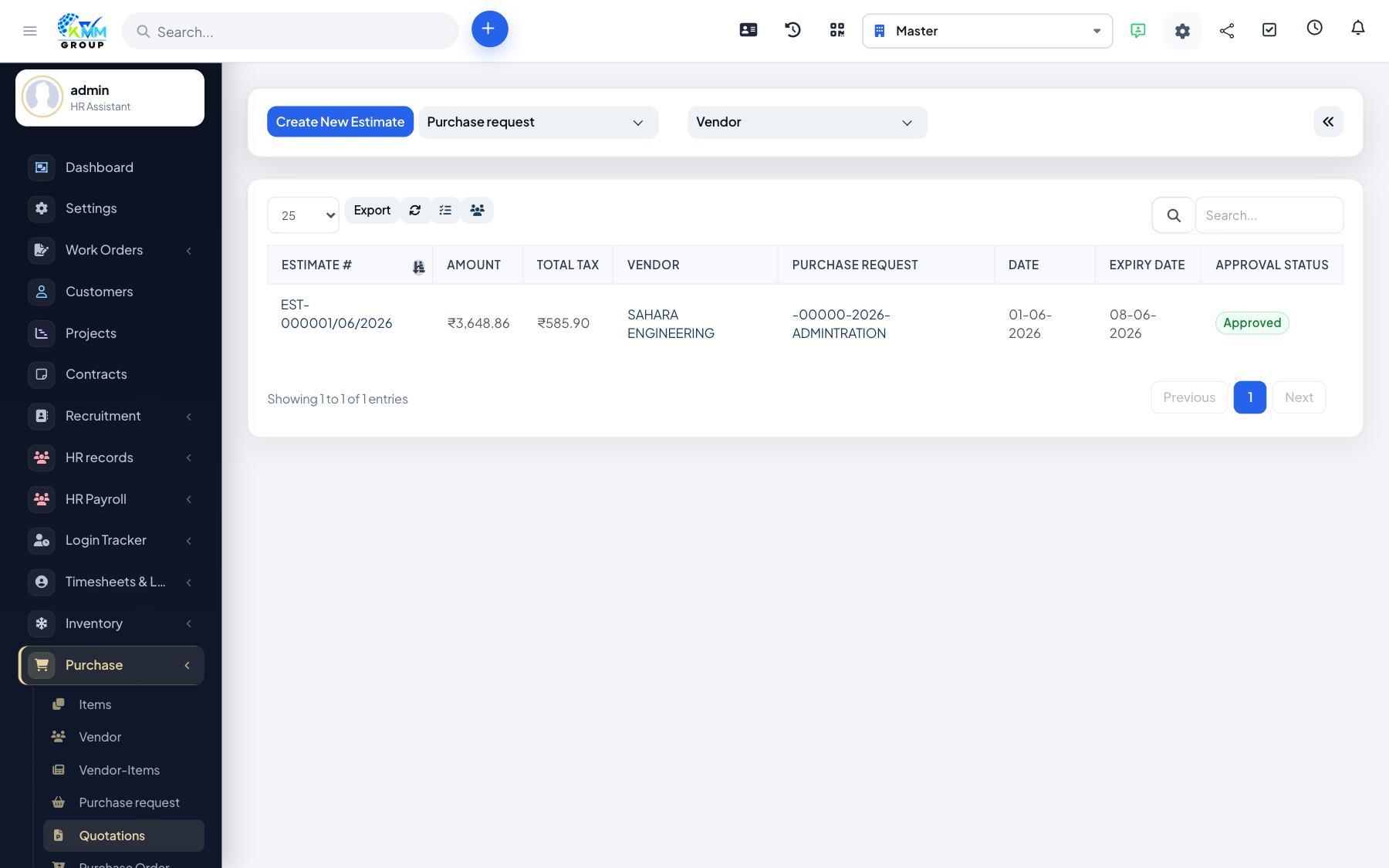
Quotations capture vendor prices so you can compare offers before committing to a PO.

Steps

  1. Go to Purchase > Quotations (/admin/purchase/quotations).
  2. Create a quotation against a vendor (and request if linked).
  3. Enter line items, rates and taxes.
  4. Compare quotations and choose the one you will convert to a purchase order.

Did you find this article useful?

Your feedback helps us improve these articles.

Related Articles

  • Getting Started with the Purchase Module

    Overview The Purchase module manages buying from suppliers inside the KMMV dashboard. You maintain vendors and…

    Read article
  • How to Configure Purchase Settings

    Overview Purchase Settings control approval rules, numbering, and options that appear across requests, POs and…

    Read article
  • How to Add and Manage Vendors

    Overview Vendors are the suppliers you buy from. Every PO and purchase invoice needs a vendor. Steps Go to Pur…

    Read article
  • How to Manage Purchase Items and Vendor Items

    Overview Purchase items are what you buy. Vendor items link a catalogue item to a specific supplier (price, co…

    Read article
  • How to Create a Purchase Request

    Overview A purchase request is an internal ask to buy something. It starts the buying workflow before a PO is …

    Read article
2026 Copyright SAHARA ENGINEERING