Overview
This article walks through one connected example that is loaded on the live Master firm, so you can open every Fleet screen and see how the records link. Everything in it is test data; every name starts with TEST-FLEET. Type TEST-FLEET into the search box of any Fleet list to find it.
The story (September 2026): a JCB backhoe gets a driver, is fuelled, fails a daily check on a hose, is repaired through a work order, gets its routine service, has a small incident at a site gate, and is hired out to a customer with a logbook and time card.
The flow
- Settings: vehicle group and type, insurance lists, part group and type, driver criteria, and an inspection form with Pass/Fail questions.
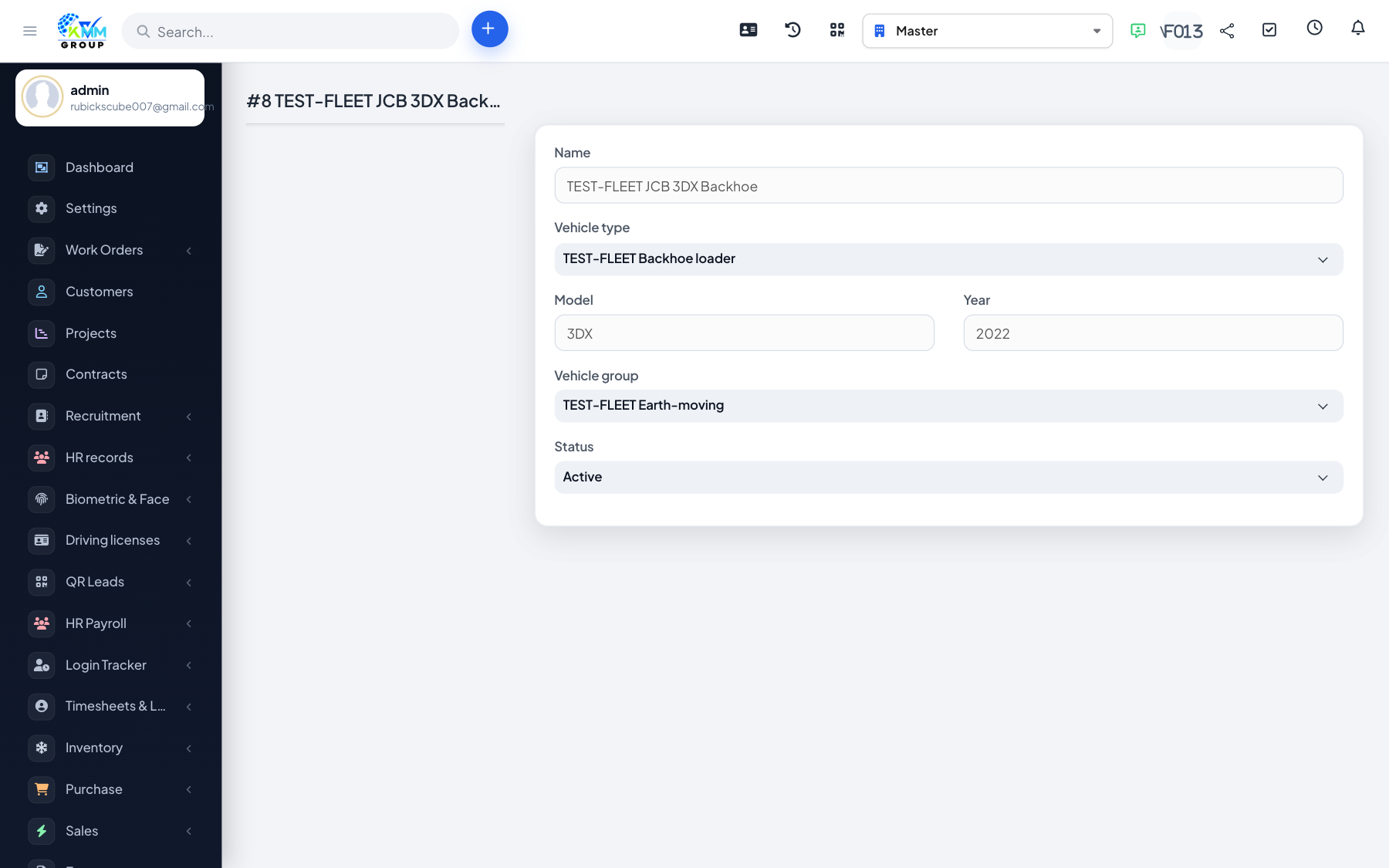
- Vehicle: register the machine.
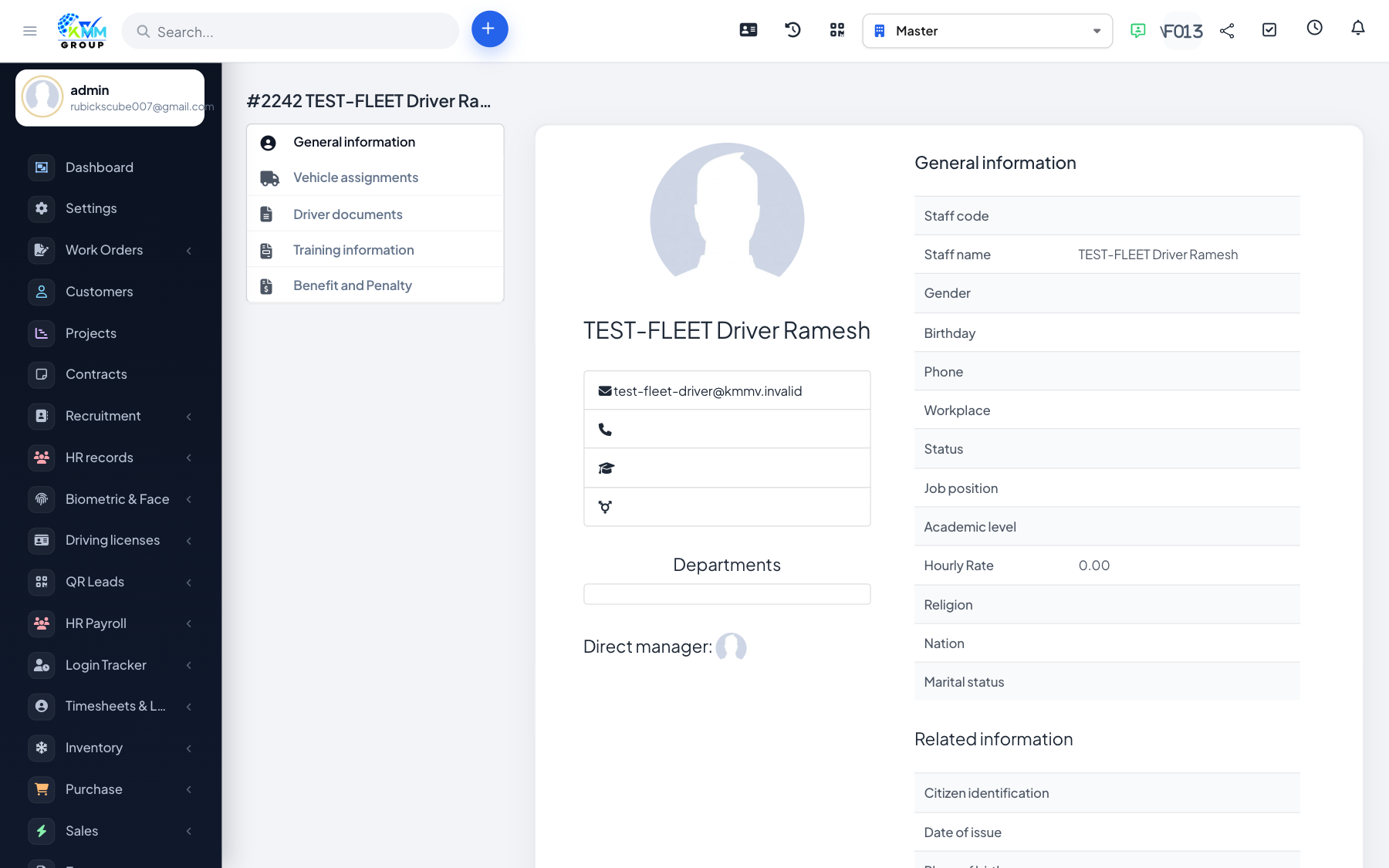
- Driver: a staff member with the Fleet: Driver role, with the licence as a document.
- Assignment: link driver and vehicle, with a start date and odometer.
- Insurance: the policy, plus a reminder on the vehicle for renewal.
- Daily running: fuel fills and inspections.
- Breakdown: a failed inspection item leads to a work order, and the new part is linked to the vehicle.
- Service: maintenance at a garage.
- Incident: an event, then a benefit/penalty for the driver.
- Customer hire: a booking, then a logbook with time cards.
- Money: Create invoice on the booking and Create expense on the work order. These are the only two ways Fleet reaches Sales/Expenses and Accounting.
- Month end: Dashboard and Reports.
Open these records
| Screen | TEST-FLEET record | Link |
|---|---|---|
| Vehicle | JCB 3DX Backhoe, plate TEST-0001, odometer 4,390 | vehicle_detail/8 |
| Driver | Driver Ramesh, licence document | driver_detail/2242 |
| Assignment | Ramesh and the JCB from 01-09-2026, odometer 4,210 | Vehicle page, assignments tab |
| Insurance | Policy 0001, 01-04-2026 to 31-03-2027, Rs 38,500; reminder 15-03-2027 | insurances |
| Fuel | 02-09: 80 L, Rs 7,440 · 15-09: 75 L, Rs 6,975 | fuels |
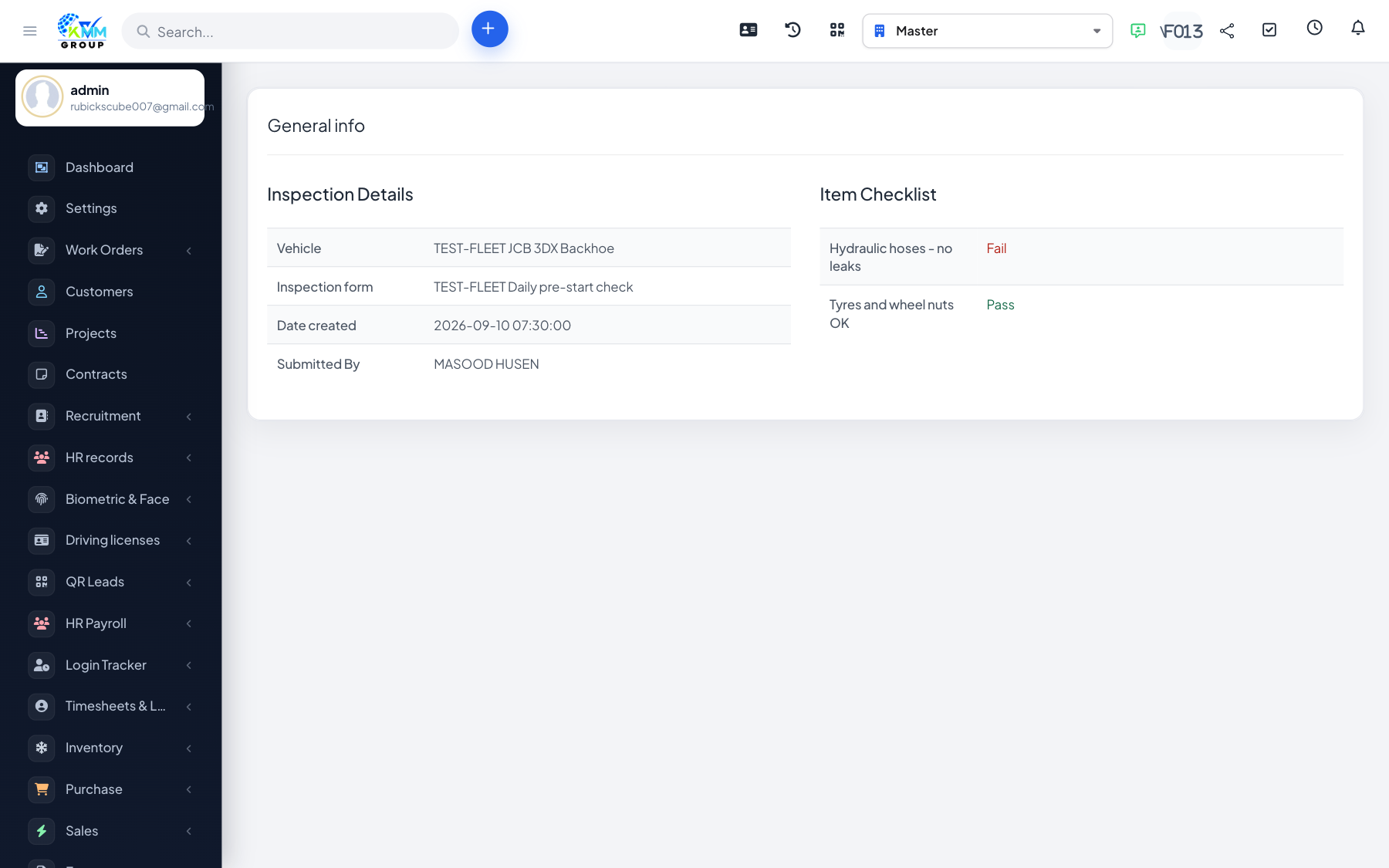
| Inspection | 10-09-2026: hydraulic hoses Fail, tyres Pass | inspection_detail/5 |
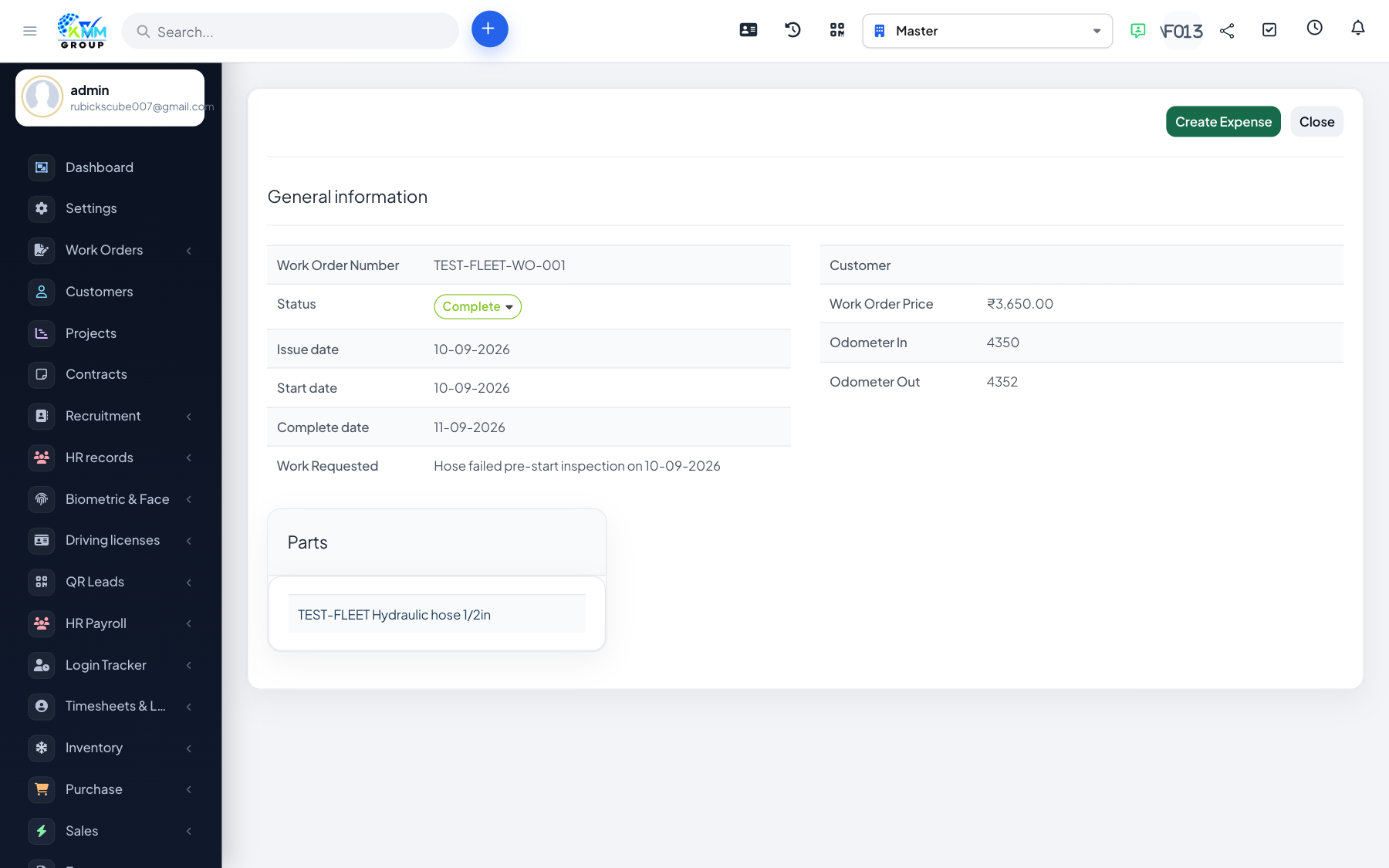
| Parts | Hydraulic hose 1/2in (Parker HP-12), Rs 2,450 | parts |
| Work order | TEST-FLEET-WO-001, Complete, Rs 3,650 (part 2,450 + labour 1,200) | work_order_detail/2 |
| Garage / Maintenance | TEST-FLEET Workshop; 250-hour service 20-09, Rs 5,200 | maintenances |
| Event | Minor scrape at site gate, 12-09 | events |
| Benefit & penalty | Penalty: damage Rs 1,500, compensation Rs 500 | benefit_and_penalty |
| Booking | TEST-FLEET-BK-001, Complete, Rs 45,000, rating 4 | booking_detail/10 |
| Work performance | Logbook 05-09-2026, time card 08:00–17:30 | work_performances |
Screens
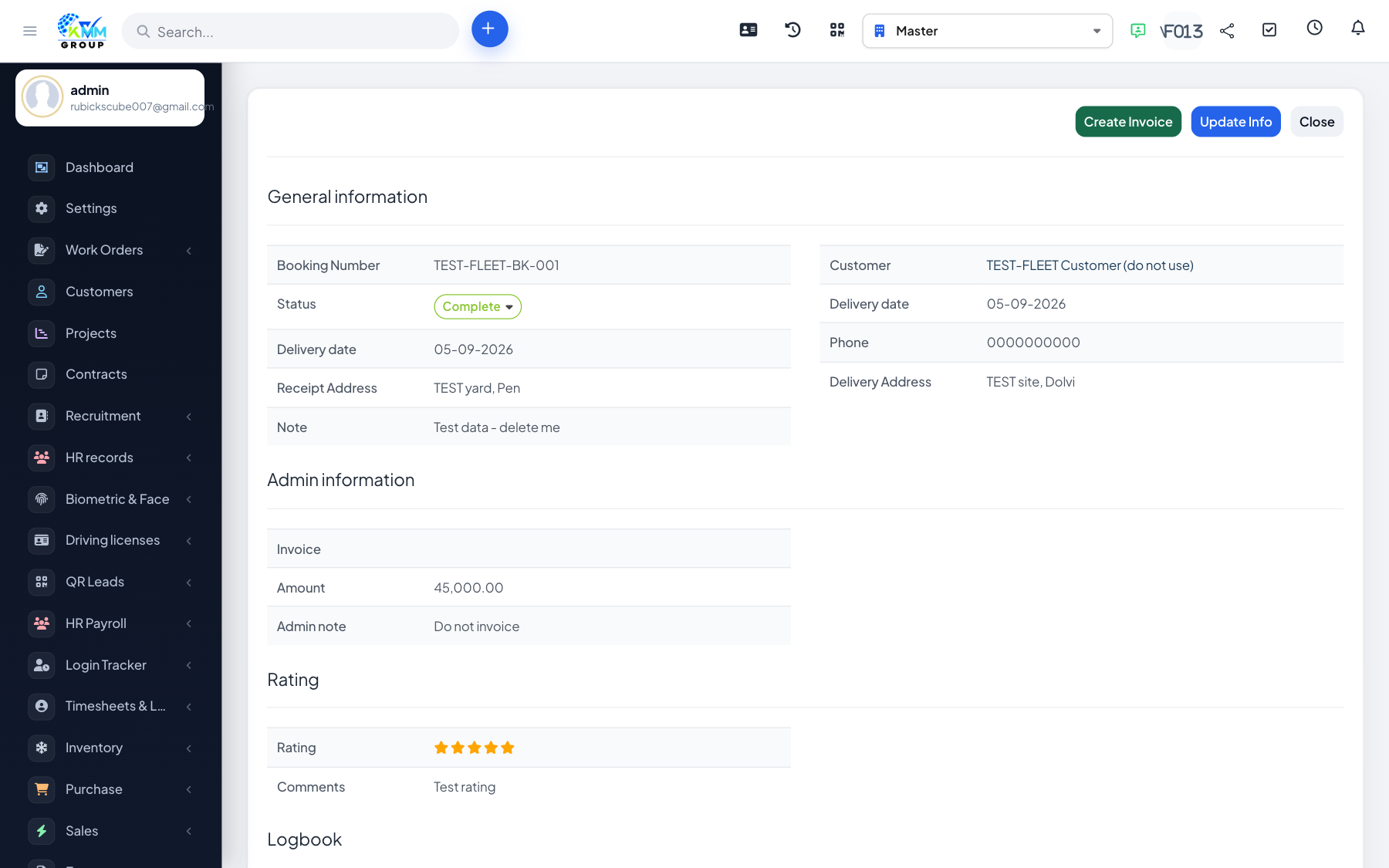
Important: do not invoice the test records
- Do not press Create invoice on TEST-FLEET-BK-001 or Create expense on TEST-FLEET-WO-001. Master posts new invoices to the ledger automatically, so a test invoice would land in the real books and use the next real invoice number.
- That is why Transactions and the Income and expense report are empty for this example.
- The test driver cannot log in and the test customer is inactive, so neither appears on real documents.
What Fleet does not do
- Fuel, maintenance, insurance and penalty amounts do not reach Accounting; only booking invoices and work-order expenses do.
- Policy and licence expiry dates do not raise alerts by themselves; add a reminder on the vehicle.
- There is no GPS or live tracking, and penalties are not linked to payroll.