Overview
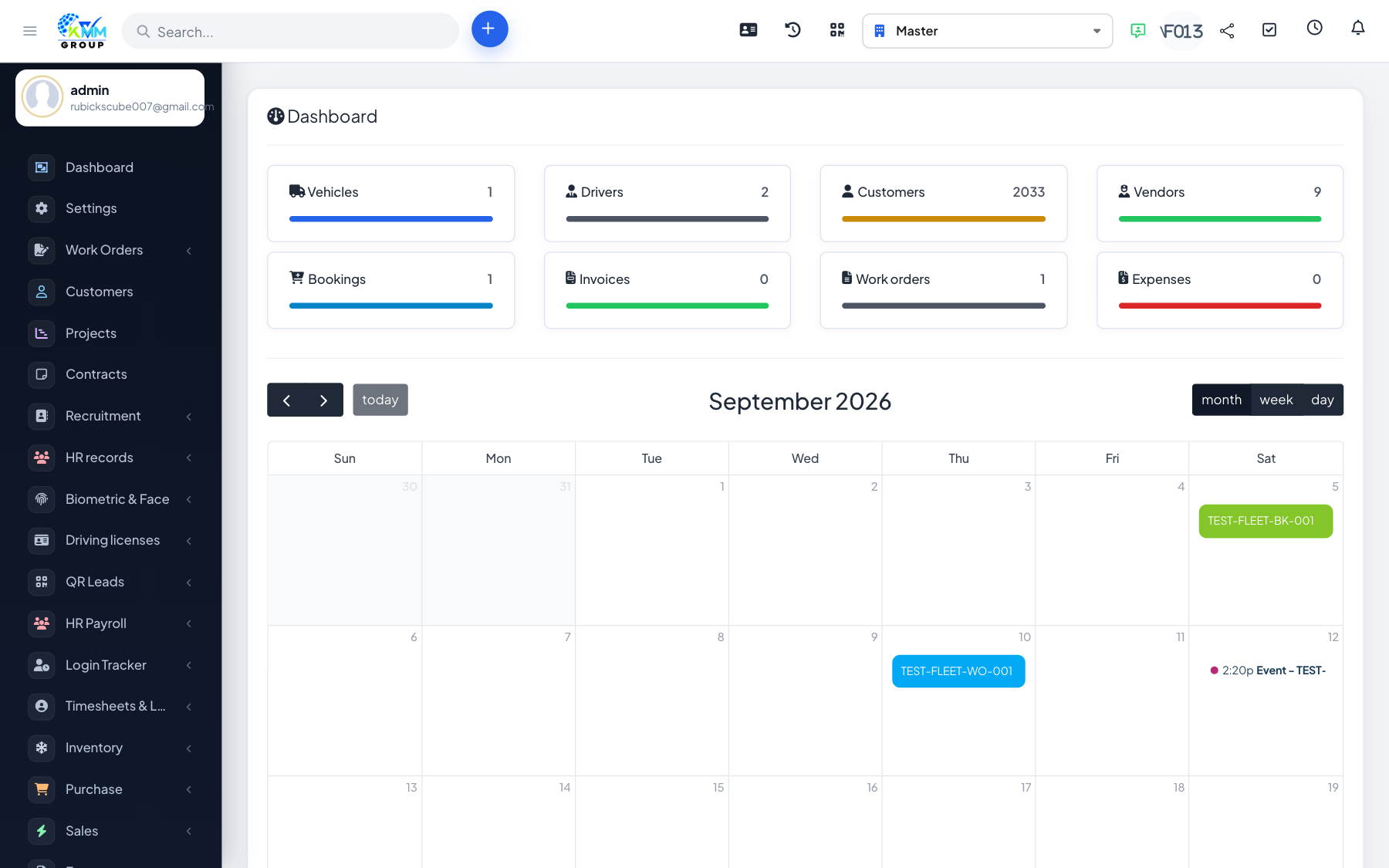
Fleet Management is the KMMV module for running your vehicles and drivers end to end. It keeps a complete record of each vehicle, schedules and logs maintenance, tracks fuel and running costs, manages insurance and inspections, assigns drivers, handles bookings/rentals, and reports on the true operating cost and utilisation of every vehicle.
What you can manage
- Vehicles & documents — full vehicle records, files and renewal reminders.
- Drivers — driver profiles, documents and vehicle assignments.
- Maintenance, garages & work orders — planned and reactive servicing.
- Fuel & parts — fuel logs with efficiency, and spare-part inventory.
- Insurance & inspections — policies, renewals and checklist inspections.
- Events, bookings & transactions — incidents, rentals and per-vehicle income/expense.
Where to find it
Open Fleet in the left sidebar (/admin/fleet/dashboard). The sub-menu lists Dashboard, Vehicle, Transactions, Driver, Work Performance, Benefit and Penalty, Event, Work Orders, Garage, Maintenance, Fuel, Parts, Insurance, Inspection, Bookings, Report and Settings.
Recommended setup order
- Configure Settings: vehicle groups & types, part groups & types, insurance companies/categories/types/statuses and inspection forms.
- Add your vehicles and drivers, then create vehicle assignments.
- Set up maintenance schedules, garages and insurance policies.
- Start logging day-to-day activity: fuel, inspections, events, work orders and bookings.
- Use Reports to monitor cost, utilisation and upcoming renewals.
Good to know: access to each screen is governed by the Fleet permissions (dashboard, vehicle, driver, maintenance, fuel, insurance, inspection, bookings, report, settings and more).