SAHARA ENGINEERING
  • Products
  • Knowledge Base
  • Register
  • Login

Search Knowledge Base Articles

Knowledge Base / Fleet Management / How to Record Vehicle Events and Incidents
Fleet Management

How to Record Vehicle Events and Incidents

1 min read 55 words

Overview

Events

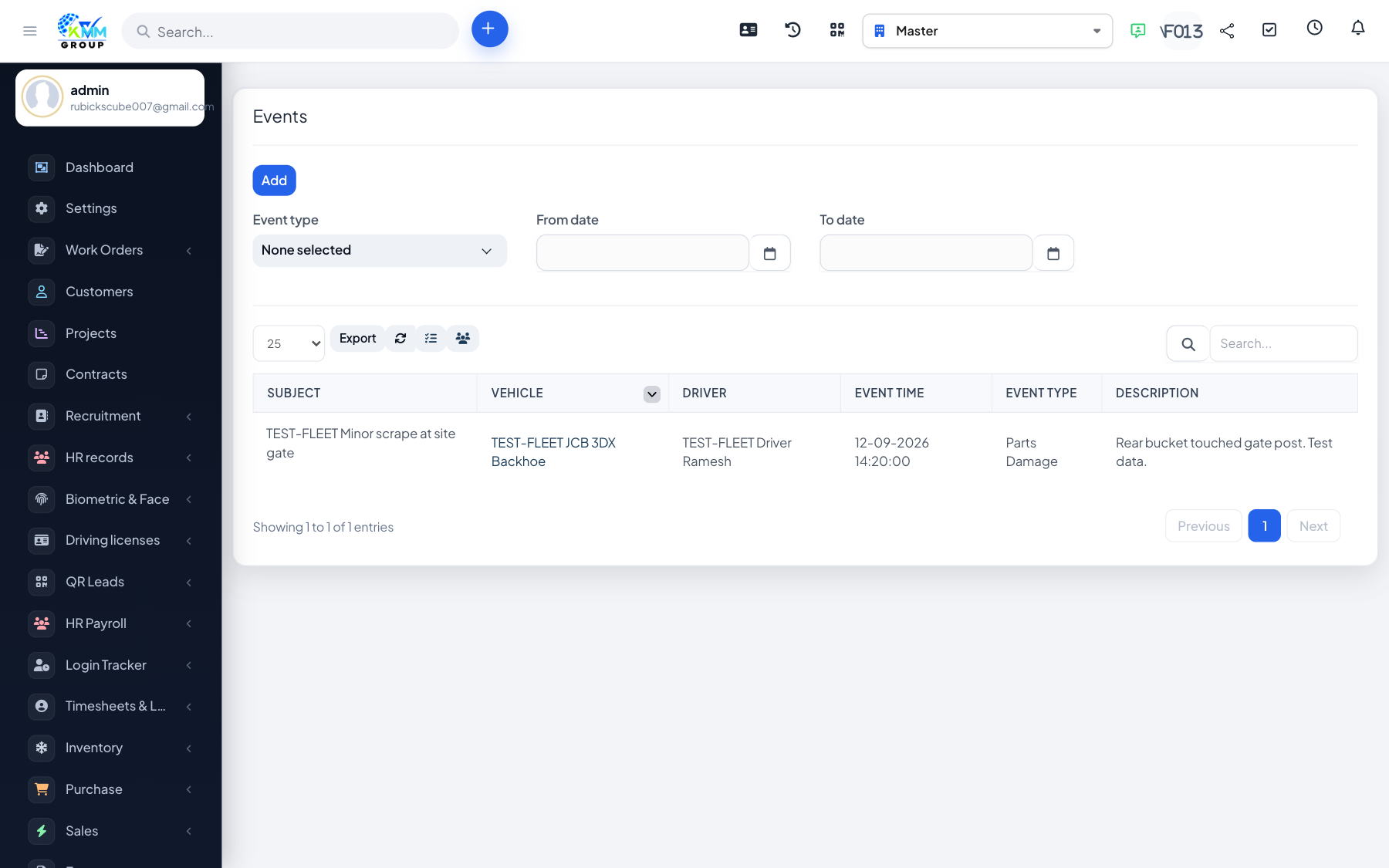
Events log anything notable about a vehicle — accidents, fines, breakdowns or reminders — with dates and costs.

Steps

  1. Go to Fleet > Event (/admin/fleet/events) and add an event.
  2. Select the vehicle, event type, date, description and any cost.
  3. Review events per vehicle and in the event report to spot recurring problems.

Did you find this article useful?

Your feedback helps us improve these articles.

Related Articles

  • Getting Started with Fleet Management

    Overview Fleet Management is the KMMV module for running your vehicles and drivers end to end. It keeps a comp…

    Read article
  • How to Configure Fleet Settings and Master Data

    Overview Fleet Settings hold the master data that every other screen reuses. Setting these up first keeps vehi…

    Read article
  • How to Add and Manage Vehicles

    Overview The vehicle record is the heart of the module. Each vehicle stores its identity, group/type, odometer…

    Read article
  • How to Manage Drivers and Driver Documents

    Overview Driver records store each driver's profile, licence and other documents, and link to their assign…

    Read article
  • How to Assign Vehicles to Drivers

    Overview Vehicle assignments record which driver is responsible for which vehicle and for what period, buildin…

    Read article
2026 Copyright SAHARA ENGINEERING